
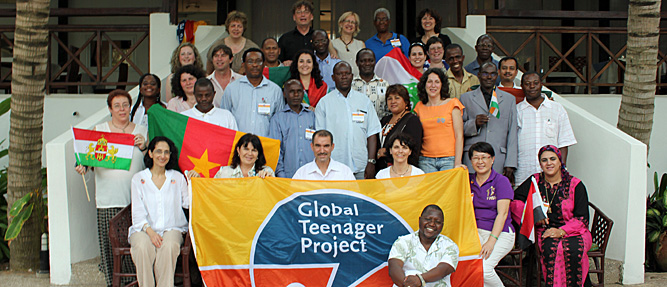
Imagine a lively classroom debate on immigration, rainforests or HIV/AIDS where teachers and pupils are linked up with their peers in Ghana or Taiwan and get their opinions on the subject. Now, apply that thought to a school curriculum and you capture the heart of the Global Teenager Project (GTP).
The Global Teenager Project connects students globally in Learning Circles to enable classroom discussions in a safe and structured environment. It gives schools a kick-start in the use of Information and Communication Technology (ICT). It also provides students with a strong basis in communication skills and valuable insights into other cultures.
Finally, it livens up the teaching process as teachers incorporate new ideas and methods into their classes and allow students to take a higher level of ownership in learning.
Inclusive
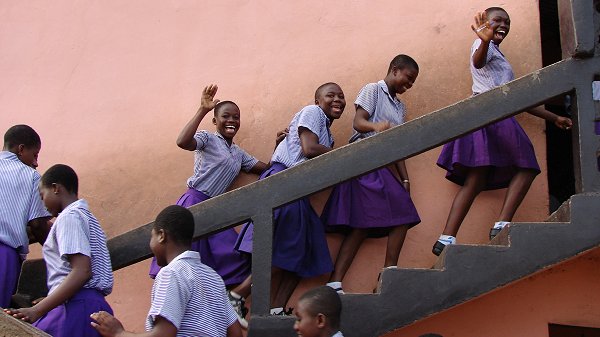
Although the Global Teenager Project initially started as a project designed just for high school students, the project has now been expanded and includes children of all abilities including Gifted & Talented and SEN.
Professional Development
The Global Teenager Project offers an online Learning Circle Methodology Course that addresses teachers and future teachers interested in developing solid understanding of the Learning Circle methodology in order to participate successfully with their students in Learning Circles. Once mastered the full depth of the Learning Circles, GTP offers a rich and dynamic international learning environment network where your students work and learn together with more than 20.000 students in 40+ countries. GTP brings the world in your classroom.
In collaboration with iEARN.
The Global Teenager Project (GTP) which is now coordinated by Executive Director Bob Hofman and coordinator Manon van Herwijnen, represents what is possible when one re-imagines education with a “children first” global-learning perspective. Bob is proudly guided by his slogan “today’s learners are tomorrow’s leaders” as it serves as a constant reminder that the primary purpose of education is to provide students with the skills and knowledge for success and positive citizenship.
The Global Teenager Projects brings together children from around the world in virtual classes (i.e., learning circles) that allow the students to learn from – and with – one another. Through virtual cross-cultural and interactive learning experiences, these children think about and discuss global issues of relevance to children, sharing perspectives and learning about one another as they work with knowledge together. It is global in the best sense of the word, using knowledge and the learning of 21st Century Skills as a tool to combat potential barriers in a manner that literally “brings the world together”.
The Global Teenager Project began in 1998 and was funded by the International Institute for Communication and Development in The Netherlands. Its objectives remain to develop the 21st Century skills students need to succeed, and to do so in a global context thereby also developing children’s sense of global citizenship. Since its beginning, the Global Teenager Project has connected 1000s of schools and over 500,000 students from 5 continents (42 countries) in Learning Circles that allow the students from around the world to share and explore different perspectives on globally relevant issues.
In 2011 a change in government leadership combined with the global economic downturn would have spelled the demise of this initiative but Bob requested a transfer of ownership to his newly founded Global Teenager Foundation (not for profit) to ensure that what was created would not be lost. Bob Hofman and Manon van Herwijnen began considering ways in which the initiative could be further enhanced, and what follows is what we have ultimately built and supported over the last 6 years.
Project coordinator Global Teenager Project: Bob Hofman
Coordinator Learning Circles: Manon van Herwijnen
In collaboration with iEARN.
